
SEO Toolkit
Available, growingAudit your site, research and track keywords, and see whether AI search engines name your brand, in the same project as the team that fixes it.
Who it is for
Built for SEO specialists, content marketers, site owners and agencies. The work it finds can become tasks for the same team, in the same project.
What you can do today
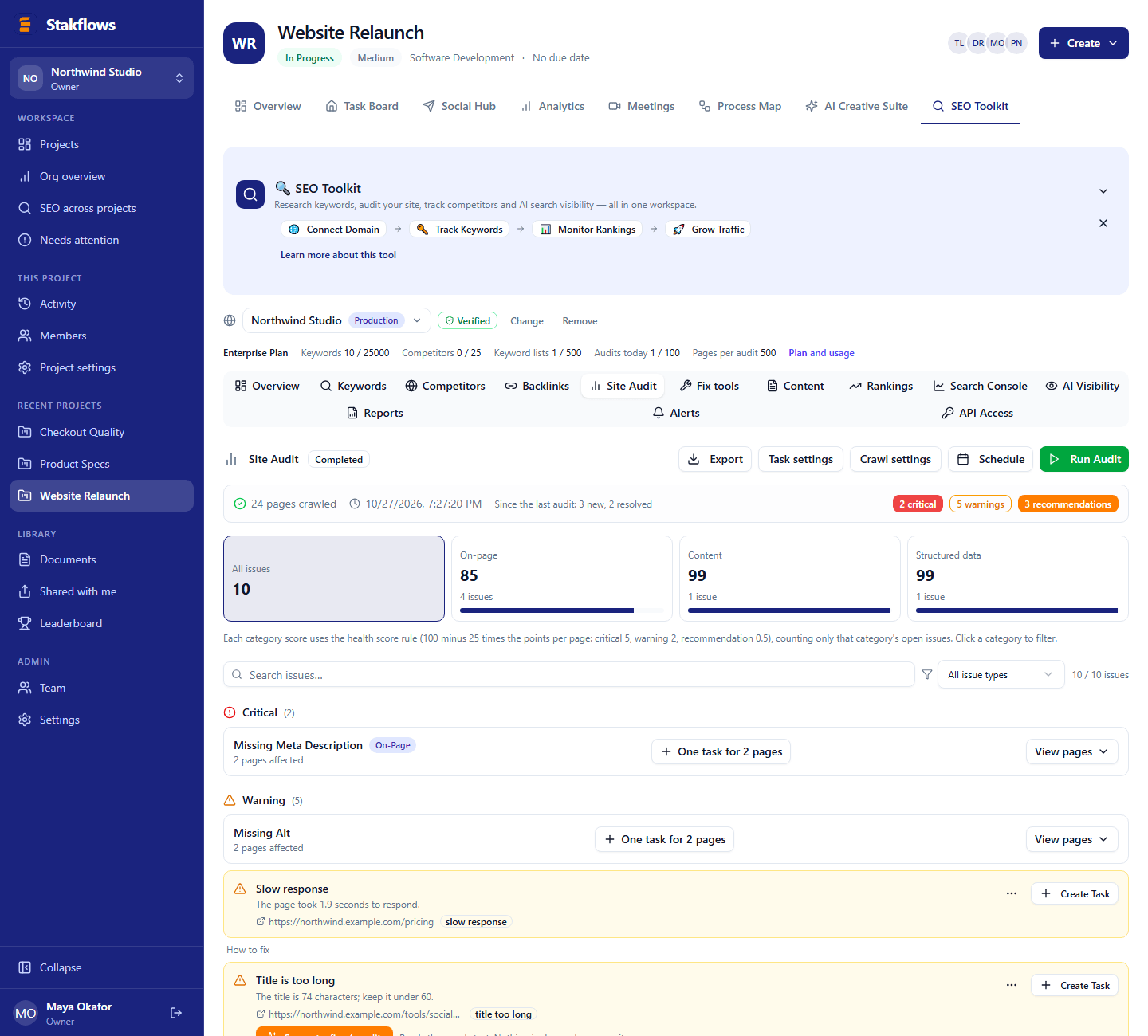
A site audit with a health score
A crawler visits your pages, checks them against 39 technical and content checks, scores your site's health and checks again when you say you fixed something. Turn issues into tasks and compare any two audits. The screenshot uses sample data.
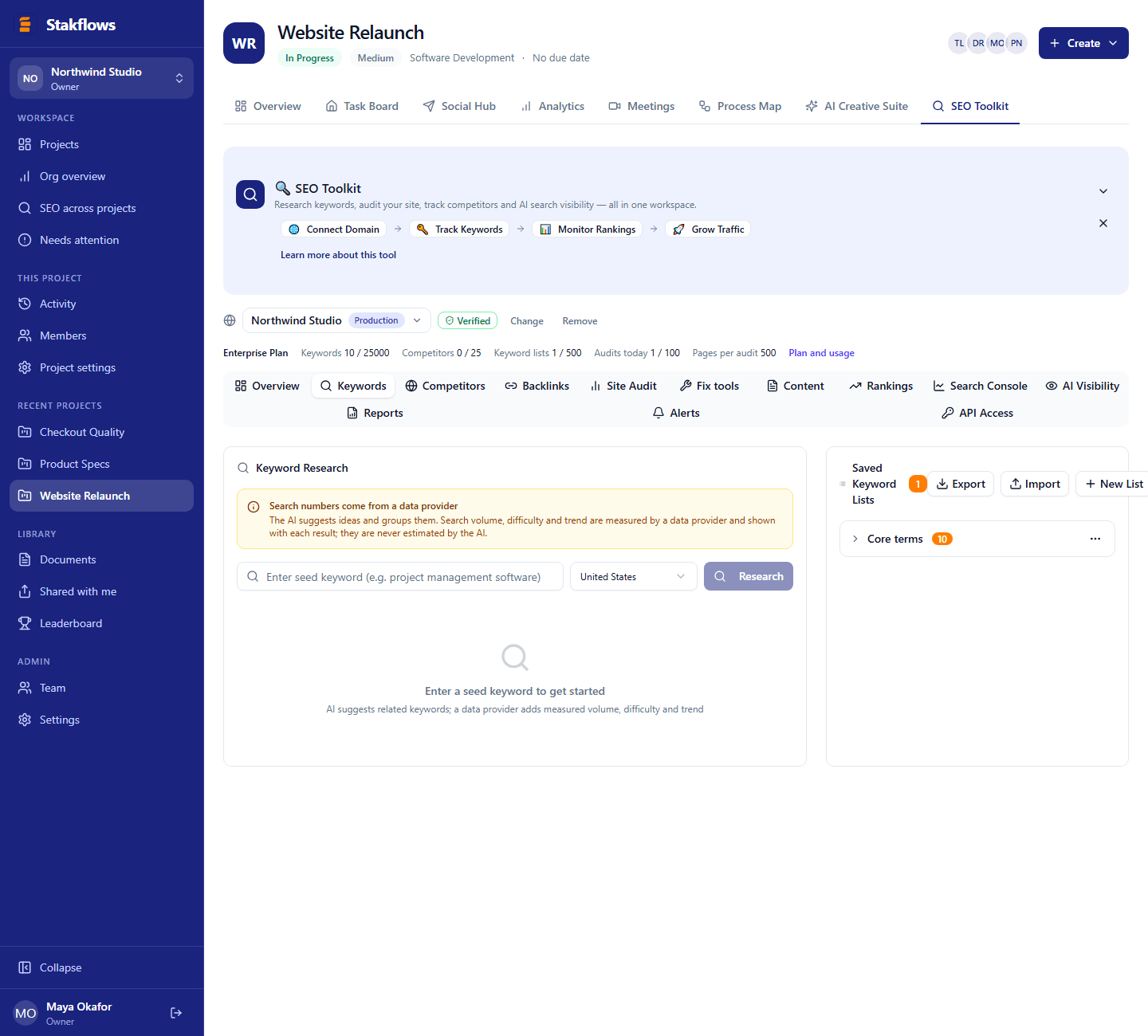
Keyword research and lists
Research ideas, see how much they are searched, organise them in lists, and import and clean them. Real search volume, difficulty and trend come from a data provider on Pro and above.
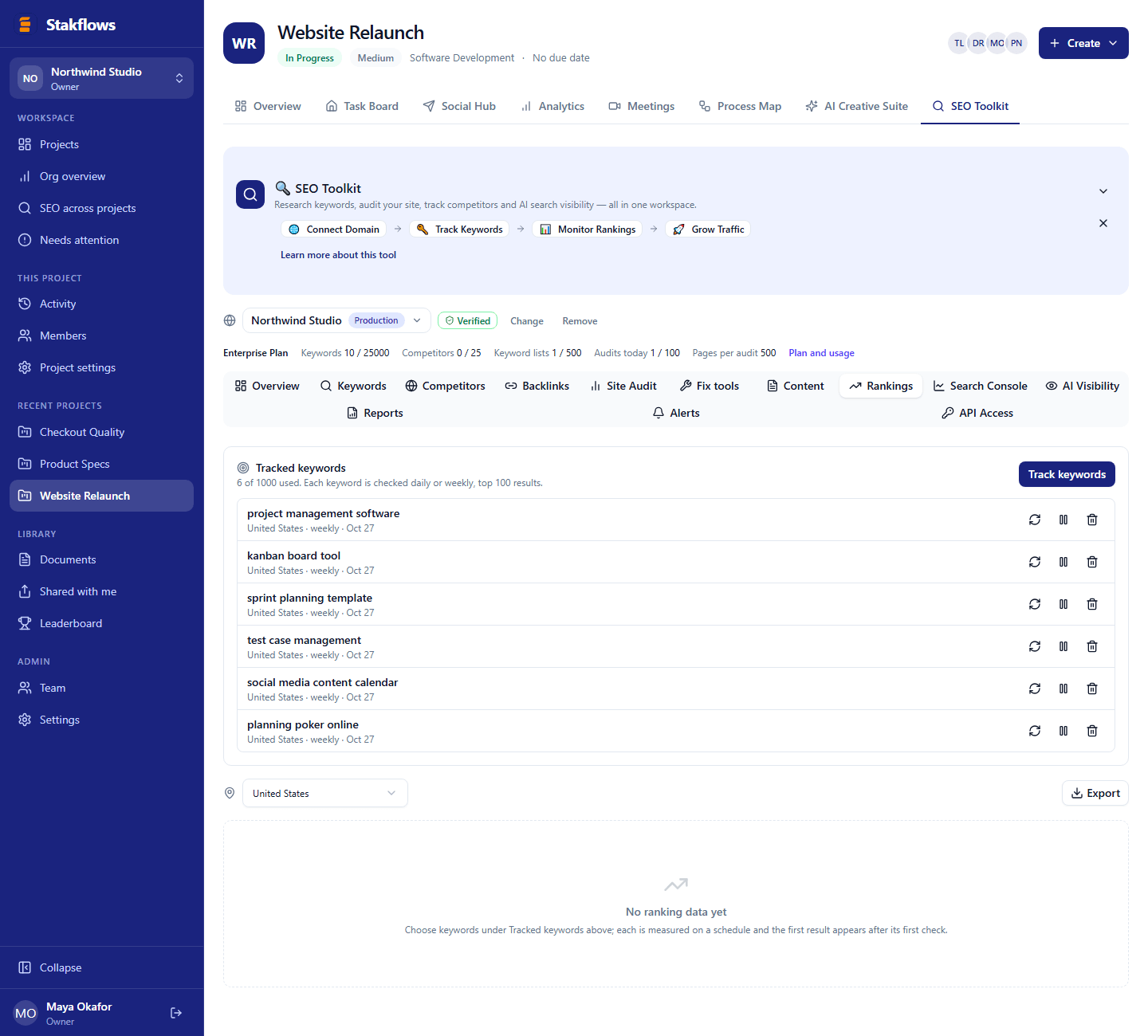
Rank tracking
Track where your site appears in Google for the keywords you choose, down to the top 100 results. Pro checks weekly; Business and above check daily.
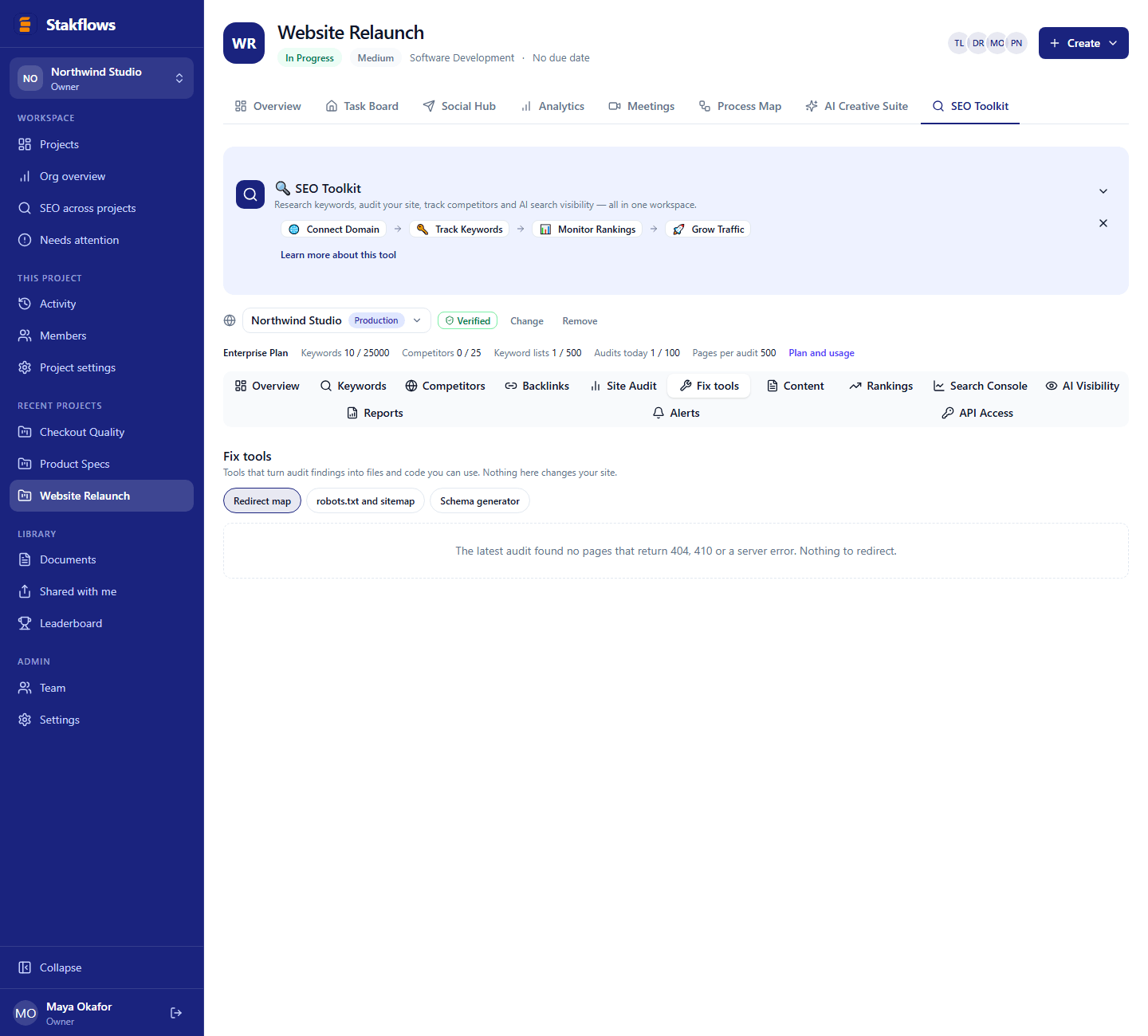
Fix tools
AI suggestions for titles and descriptions, a redirect map for broken links, a robots.txt and sitemap checker, and a structured-data generator. Nothing changes your site by itself.
Competitors and backlinks
Compare your site with competitors, and see who links to you, with a spam score for each referring domain and a disavow file you download yourself. Backlinks are refreshed weekly and are not part of the Free plan.
Content plan and Google Search Console
Plan the pages you mean to write, with an AI brief for each, and turn a plan item into a document. Connect Google Search Console to see the real clicks and impressions Google reports.
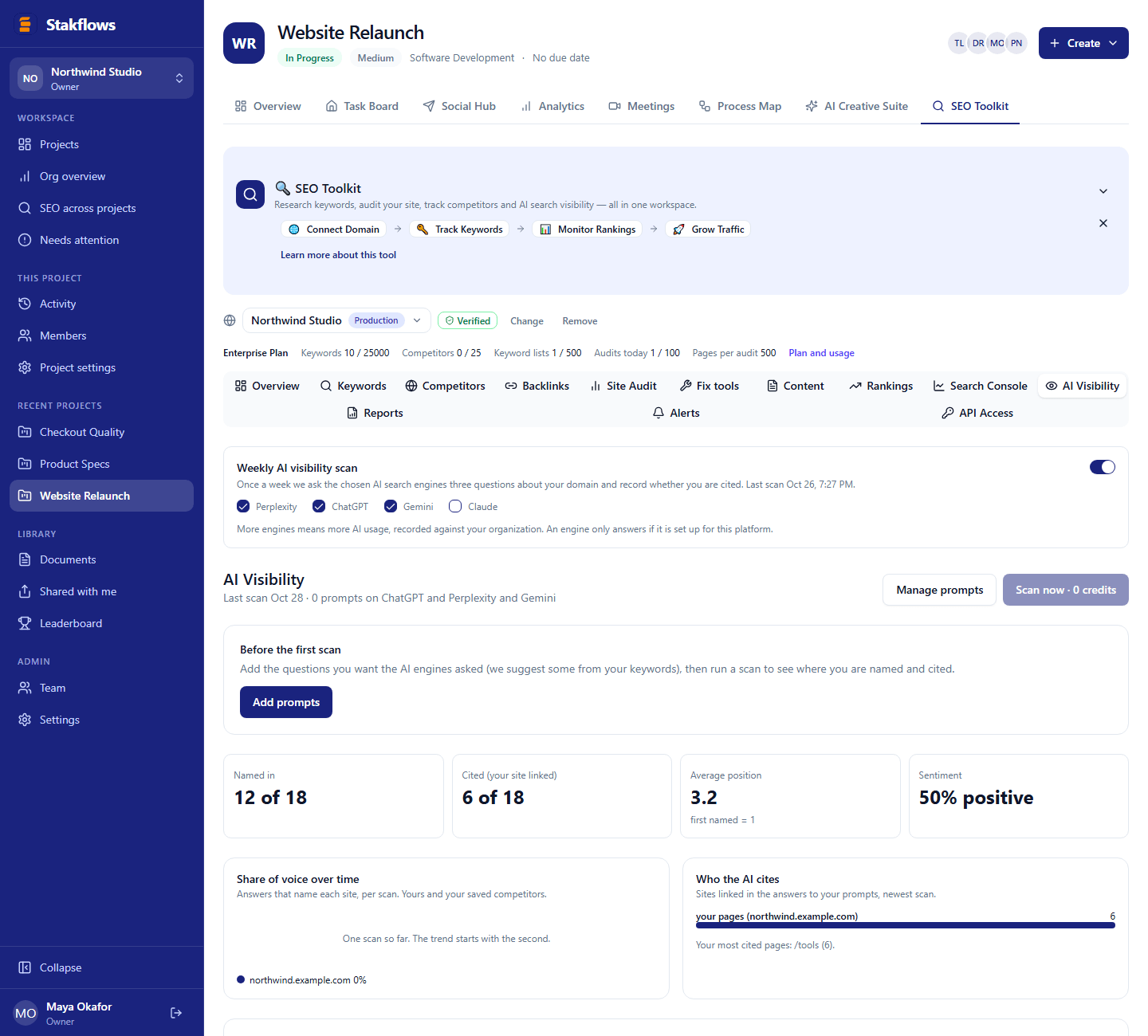
AI visibility
Choose the questions your customers ask. Stakflows asks Perplexity, ChatGPT, Gemini and Claude, records the real answers and shows which sites they name. Scans run weekly on plans that include it, and each answer is priced, with the price shown before you scan.
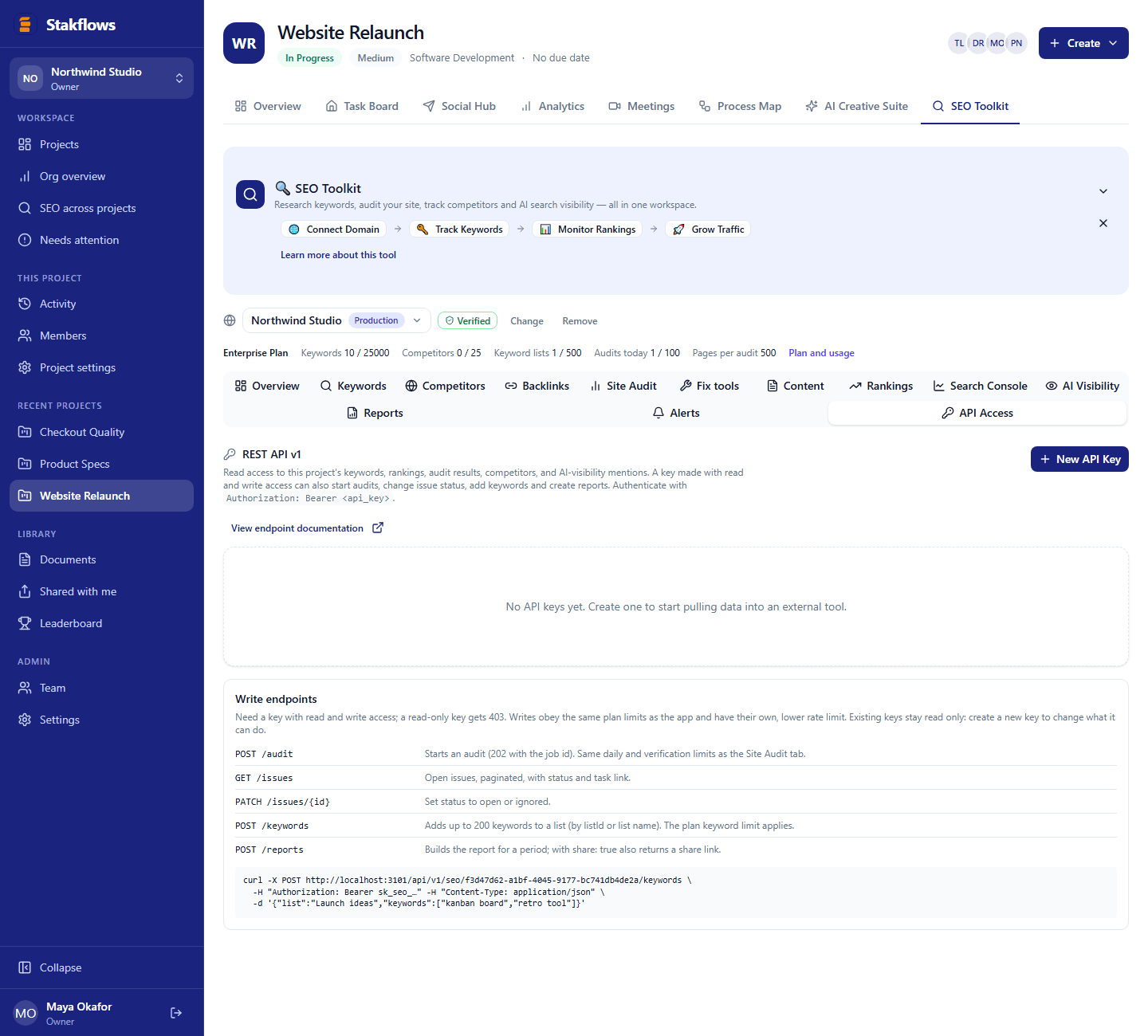
Reports, alerts and the API
Build shareable PDF and Excel reports, get alerts in the app, by email or in Slack or Discord, and connect other tools with API keys. Agencies can manage several sites, give clients a read-only portal and brand the reports.
How it works
- 1Connect and verify your siteAdd your domain and prove you own it, then follow the setup checklist.
- 2Audit and researchRun an audit, add keywords and tracked keywords, and add competitors.
- 3Fix what it findsTurn issues into tasks, use the fix tools, and ask for a re-check when you are done.
- 4Report and watchShare reports, set alerts, and watch your rankings and AI visibility over time.
AI in this tool
AI suggests page titles and descriptions for audit issues, writes a brief for a content plan item, and answers your AI visibility prompts through the engines you choose. Plans with AI access (Pro and above) include AI visibility.
Nothing changes your site by itself. AI visibility records the engines' real answers, never simulated ones, and each answer uses your organization's AI credits, with the price shown before you scan.
What is coming
- Local SEO: Business locations and map-pack tracking. Not built yet.
- Bing Webmaster Tools: Not built yet. Google Search Console is available today.
Works with
Plans
- SEO Toolkit: available from the Free plan
Free: 1 site, 25 pages per audit and 50 keywords. Pro: 5 sites, 500 pages per audit, 500 keywords, 50 tracked keywords checked weekly, real search numbers, AI visibility and API keys. Business: unlimited sites, 5,000 keywords and 250 tracked keywords checked daily. Enterprise: 25,000 keywords and 1,000 tracked keywords.
Questions
Are the numbers real?
Every number is labelled by where it comes from. When Stakflows has no real data for something, it says so and shows what to do instead of showing an invented figure.
How often are rankings checked?
Weekly on Pro and daily on Business and above, for the top 100 results of each tracked keyword.
How does AI visibility work?
You choose prompts. Stakflows asks each engine you pick, records the real answer and which sites it named, and runs a weekly scan on plans that include it. The price is shown before you scan.
Can I turn audit issues into tasks?
Yes. Each issue, or a group of issues of the same type, can become a task on your Task Board. You can set a default assignee and column.
Does it work for agencies?
Yes. Manage several sites in one project, see all your projects in one view, give clients a read-only portal, and send reports in your own brand.