
Document Board
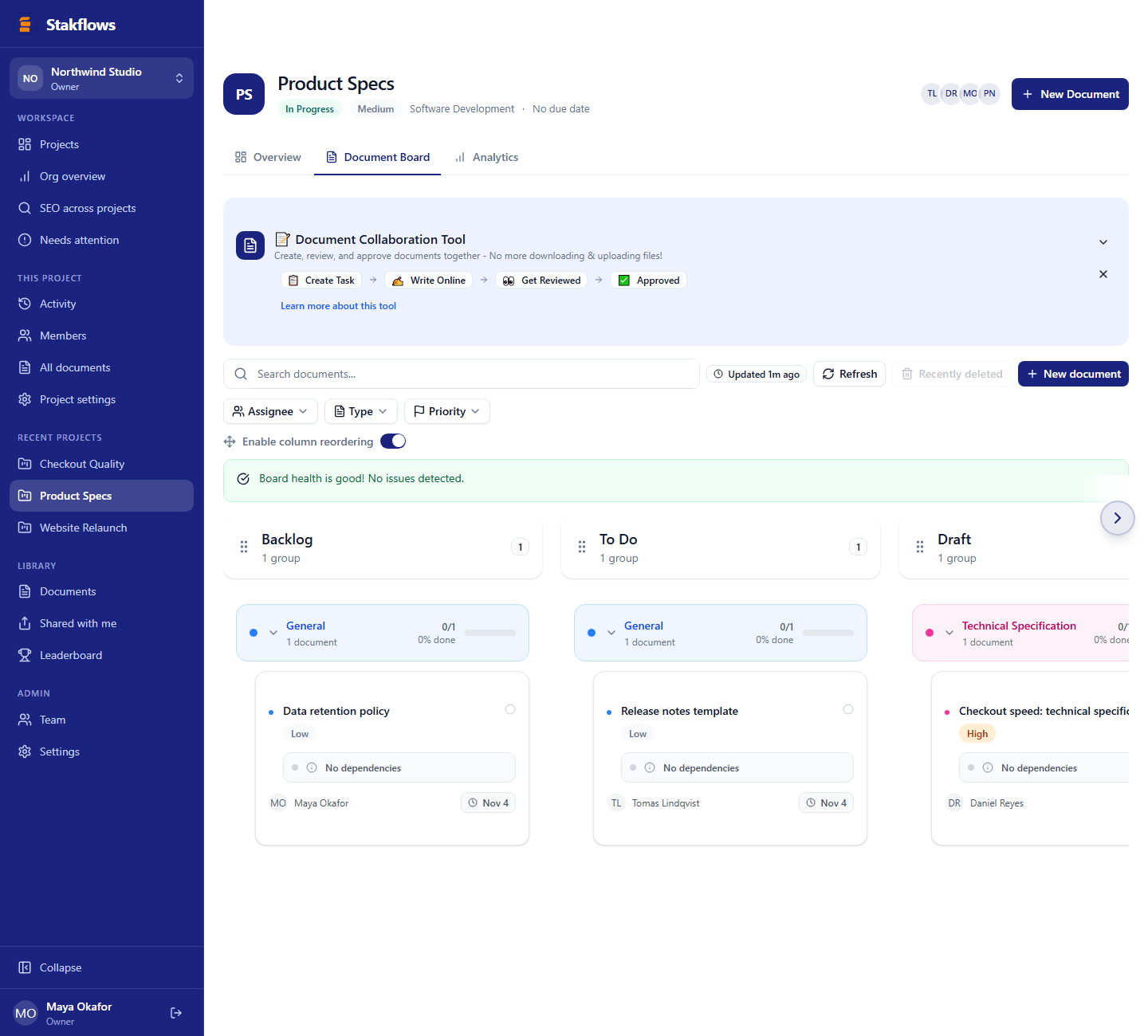
Available, growingWrite, review and approve requirements and specifications with a real approval workflow.
Who it is for
Built for business analysts, product managers, reviewers and stakeholders. Analysts and product managers write requirements and specifications. Reviewers comment and approve. Stakeholders read the approved version.
What you can do today
A Kanban board for documents
Documents move through Draft, In Review and Approved on a board grouped by document type. Assign documents, add tags and dependencies, and let people apply to take one on.
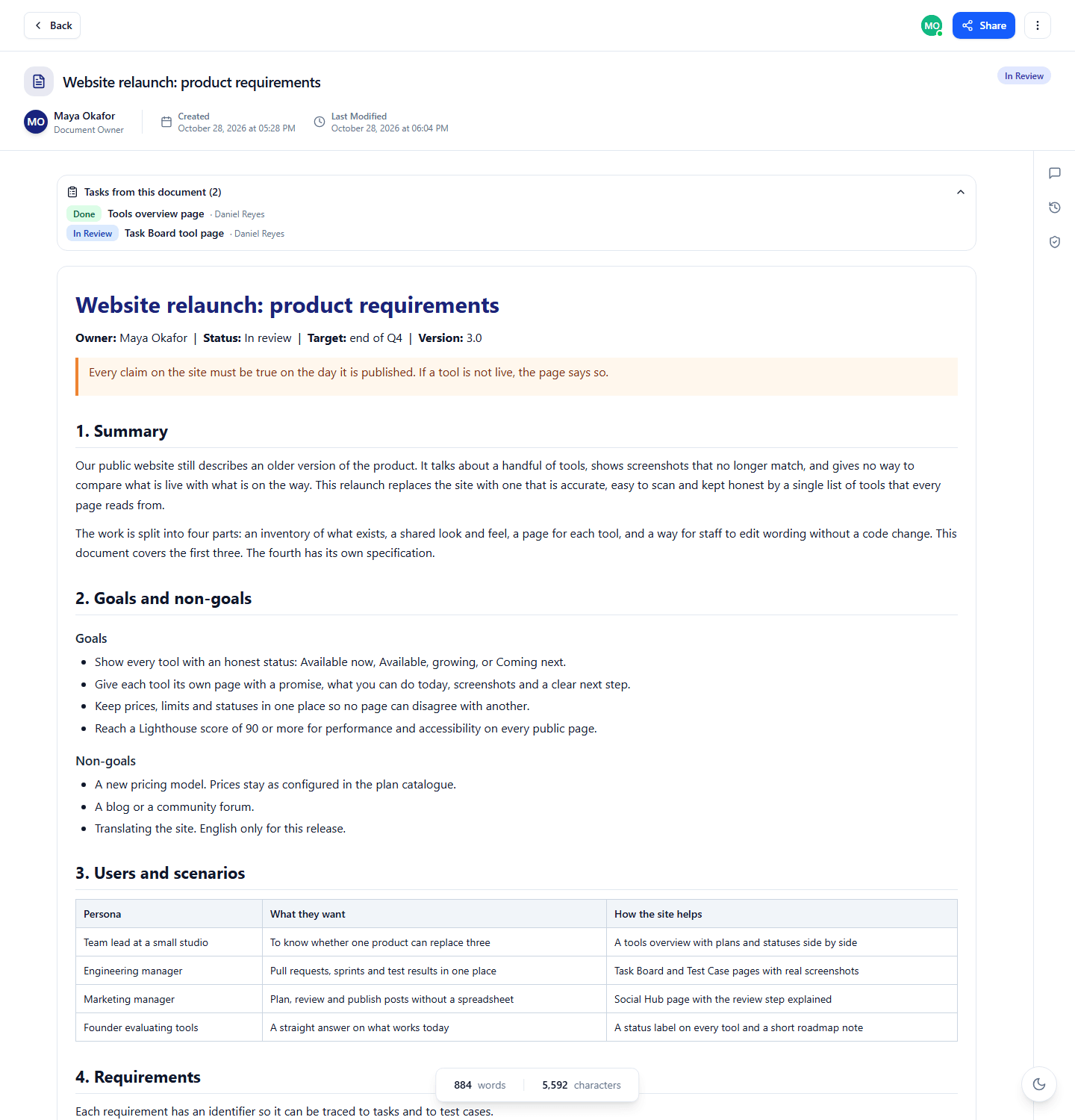
A full editor with autosave
Write with headings, lists, tables and images, and your work is saved as you go. Suggesting mode lets reviewers propose edits instead of changing the text.
Version history with restore
Keep every version of a document, name the ones that matter, and restore an earlier one.
Review comments and approval
Comment on a passage and discuss it in a thread. Reviewers approve a document before it counts as approved, and only people with permission can move it forward.
AI review with a scored report
On plans with AI access (Pro and above), AI reviews a document and returns a scored report on clarity and completeness, with quick text actions. Very long documents use more credits.
Requirement traceability
Link each requirement to the tasks and test cases in your organization that cover it, and see which requirements have nothing covering them yet. AI can find the requirements in a document for you.
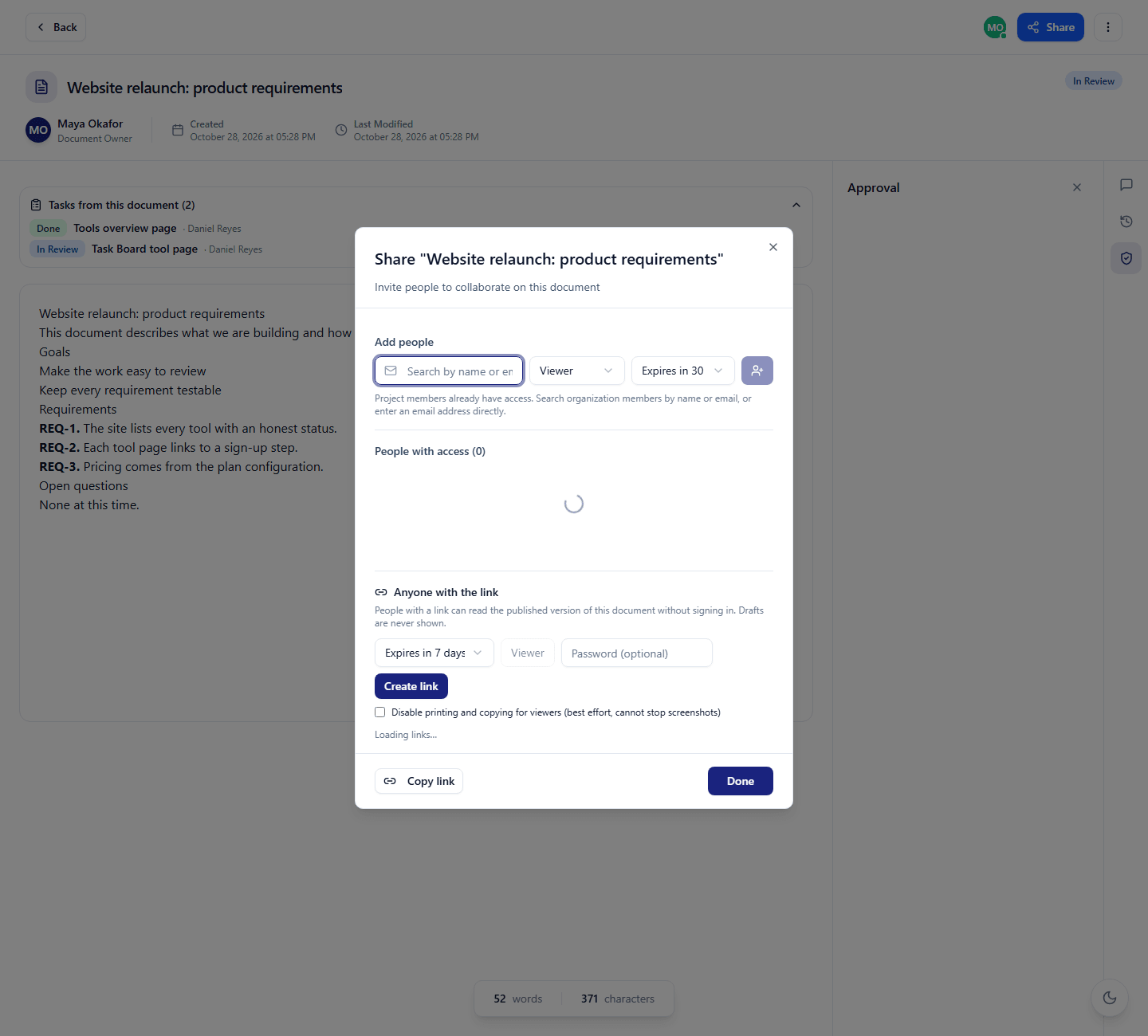
Share with people or with a link
Invite people as viewers or commenters, with an expiry. Or create a link anyone can open without signing in: it can expire and have a password, and it only ever shows the published version.
Presence and templates
See who else is in a document while you work. Start from a template for a common business document, and save your own documents as templates.
How it works
- 1DraftWrite the document, or start from a template, and assign it to a reviewer.
- 2ReviewReviewers comment on passages and suggest edits. You resolve each comment.
- 3ApproveA reviewer approves the document. The approved version is the one that can be shared by link.
- 4Trace and shareLink requirements to the tasks and test cases that cover them, then share with stakeholders.
AI in this tool
AI is available on plans with AI access (Pro and above). You decide what to do with every result.
- Review a document and get a scored report on clarity and completeness
- Find the requirements in a document for traceability
- Quick text actions while you edit
AI does not approve a document or change your text without you. Each use draws on your organization's shared monthly AI credits, and very long documents cost more.
What is coming
- Real-time co-editing: Several people typing in the same document at once. Planned; not built yet.
Works with
Plans
- Document Board: available from the Free plan
Documents, the board, version history, comments and approval are part of every plan. AI review and AI requirement finding need a plan with AI access (Pro and above).
Questions
Which plans include the Document Board?
Every plan includes documents, the board, versions, comments and approval. AI review needs Pro or above.
How does requirement traceability work?
Each requirement in a document can be linked to the tasks and test cases inside Stakflows that cover it. The panel shows which requirements are covered and which have nothing linked yet.
Can two people edit the same document at the same time?
Not yet. You can see who else is in a document, and reviewers use comments and suggestions, but real-time co-editing is planned and not built.
Who can I share a document with?
Anyone, as a viewer or commenter, or through a link that needs no sign-in. Links can expire and have a password, and they only show the published version.
How do AI credits work here?
AI features use credits from your organization's shared monthly pool, and very long documents cost more. The AI Assistant page explains how credits work.